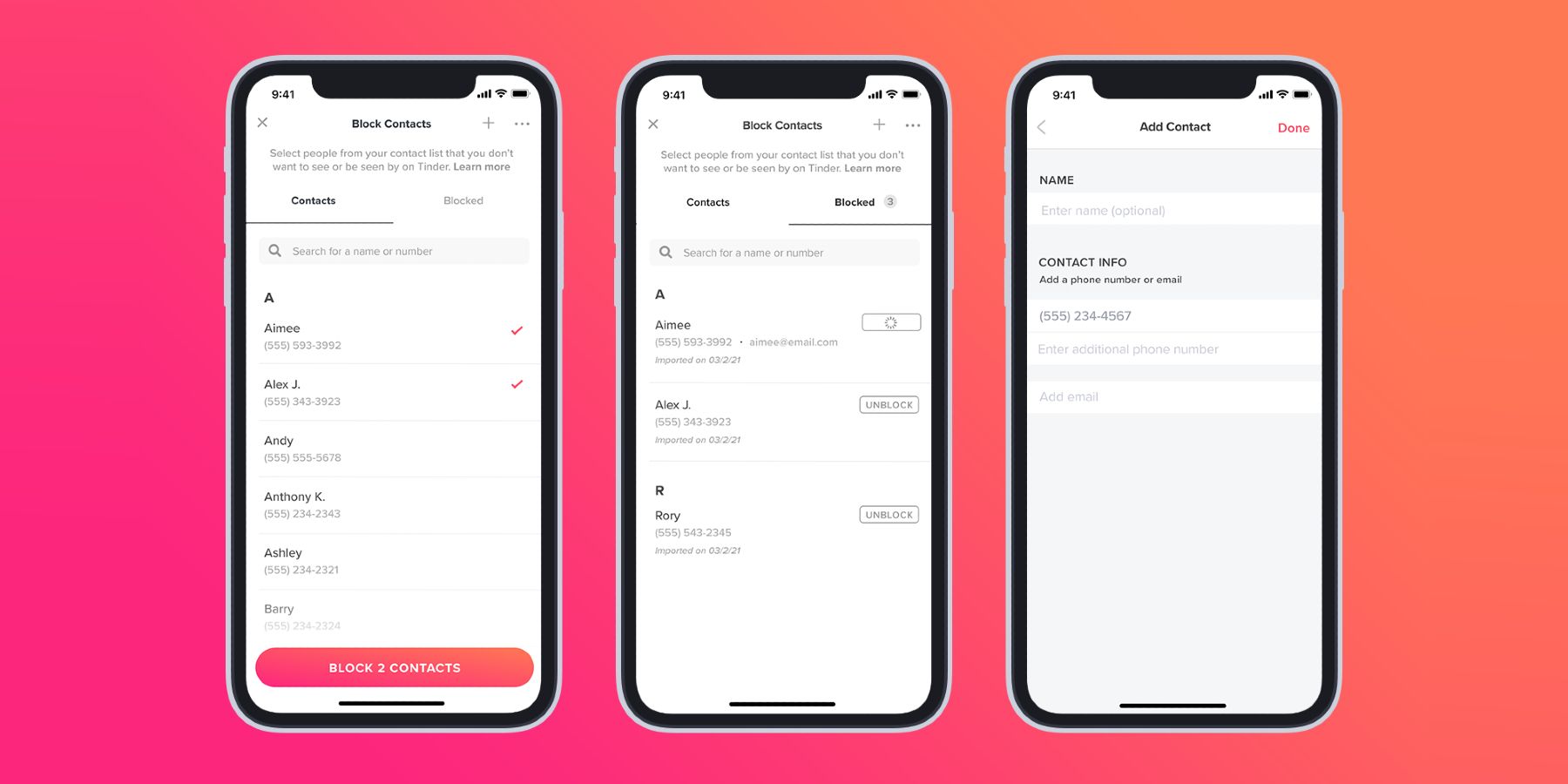
Tinder has introduced a way for users to block contacts they'd rather not see or be seen by on the dating app. It has characterized the feature as a way to avoid awkward run-ins, but it has clear safety benefits for users who may wish to avoid stalkers or people who may have been abusive in the past too. The ability to block contacts will variously provide peace of mind, empowerment, and security for users — it's just a surprise it has taken so long to introduce.
Tinder has made a number of moves lately to improve the peace of mind and safety of its users, such as introducing background checks for violence and integrating with Lyft so that users can book rides for each other when on dates. Strangely, though, there has never been a way to block others. Users can unmatch with those they have matched with or report them if there is reason to. Both these actions will hide users from each other permanently, but they still require the users to have encountered each other on the app in the first place.
The newly-announced feature means that no longer needs to be the case for users on the platform at all. They can preemptively block off-app contacts to avoid any such situations arising. Tinder suggests this could be used for ex-partners, family members, and colleagues, but the uses go beyond just these. People may not wish to see or be seen by friends, other professional contacts, domestic service suppliers, educational contacts, old school friends, or even, ahem, current partners on Tinder.
Blocking contacts on Tinder is done using phone numbers. Tinder asks that users share access to their contact lists to make the process quick and easy. Some would argue this is an unnecessary provision of user data to Tinder and the company addresses this in its help section by saying: "Each time you use the feature, we’ll pull your list of contacts from your device so that you can pick who you’d like to block. When you leave the feature, we’ll only keep the contact information for the people you have blocked (name, email, and/or phone number)." For those that don't wish to provide access to their contacts, though, there is an alternative option.
To use the feature, users simply need to open the Tinder app, navigate to 'Settings,' and then select 'Block Contacts' from within the list. At this point, first-time users of the feature are asked to grant access to their contacts. Once that has been done, users can select which of their contacts they wish to block by simply tapping their names. Users that opt not to grant permission to their contacts list can simply tap the + icon subsequent to that step and enter a person's contact details manually.
No comments:
Post a Comment